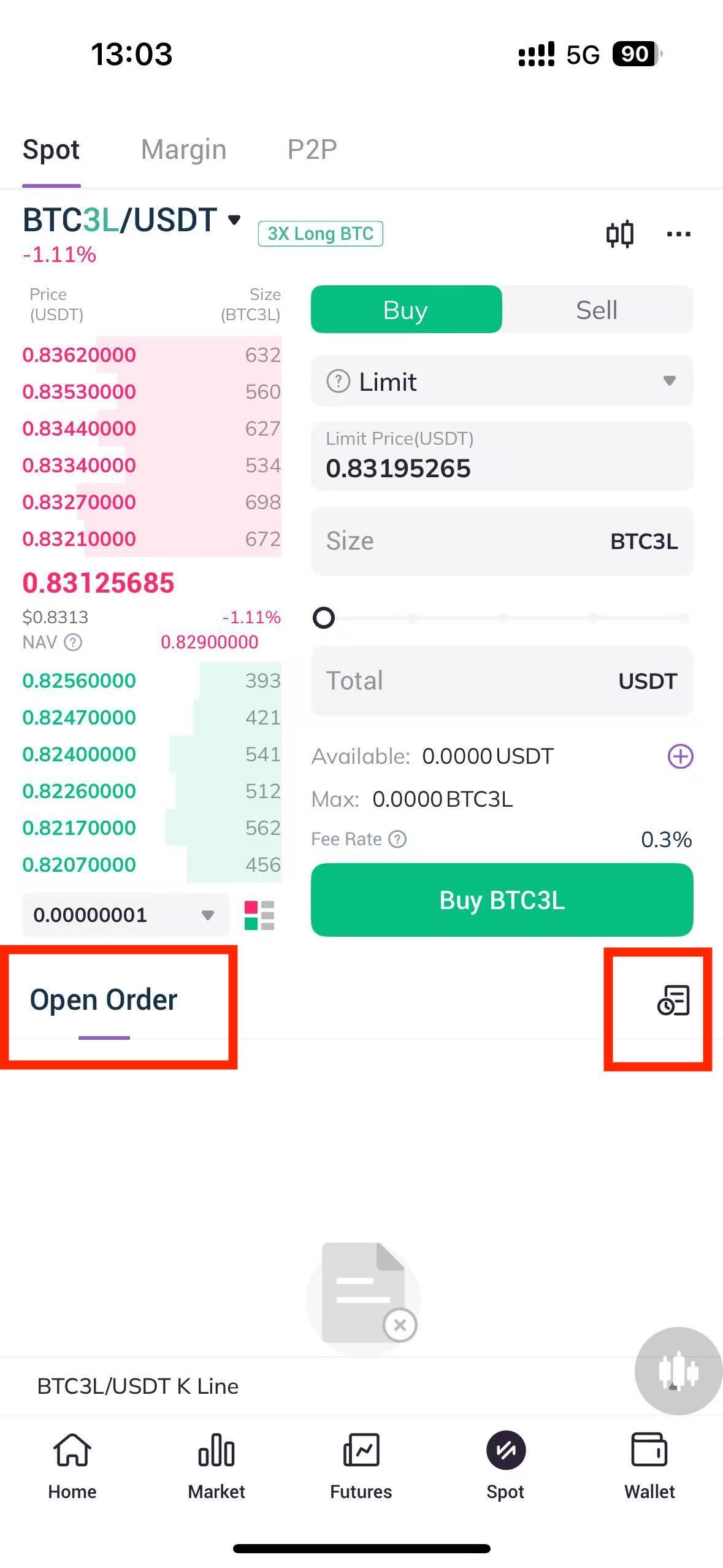
1. Log into the AscendEX App and click on Leveraged Tokens in the center of the homepage.
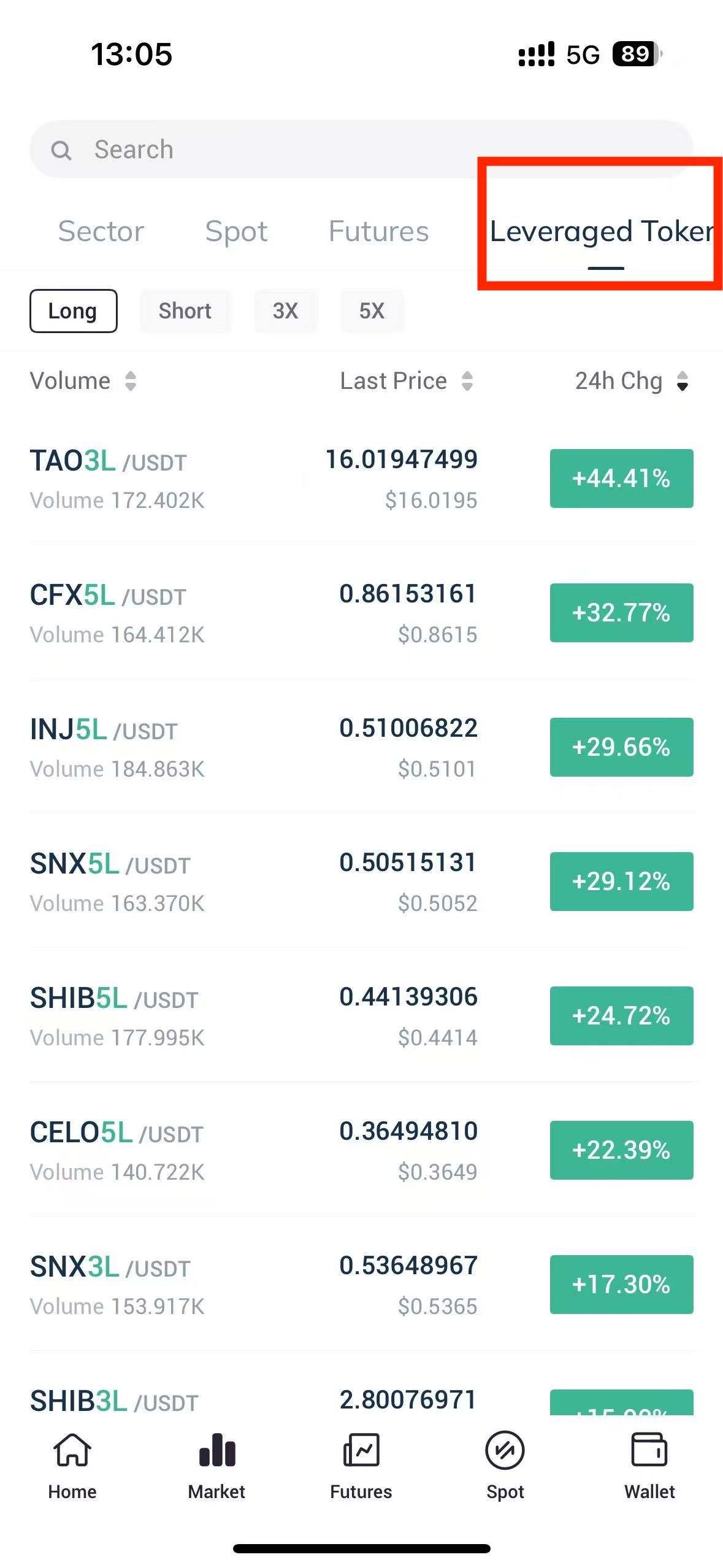
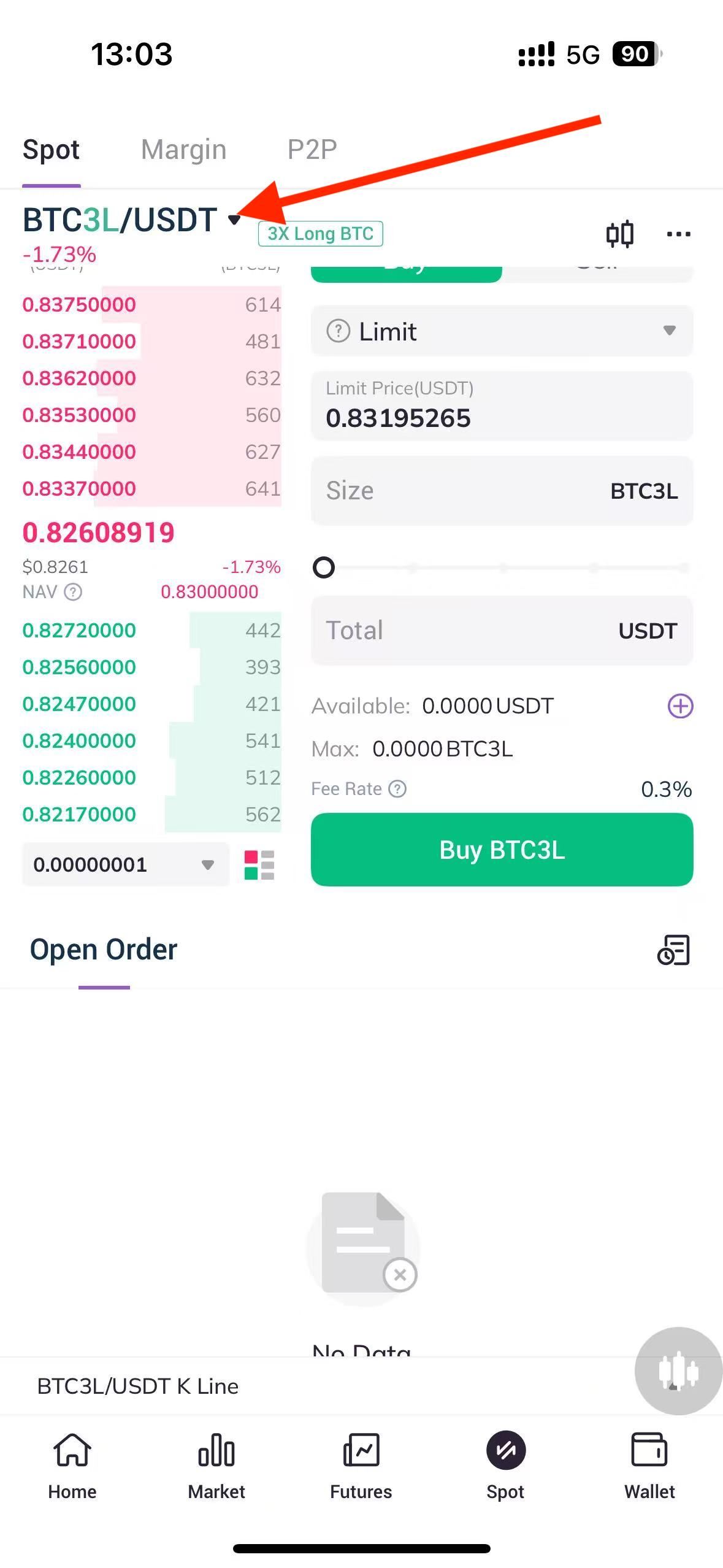
2. Once you enter the spot trading page, you can click on the currency list and select the leveraged token.
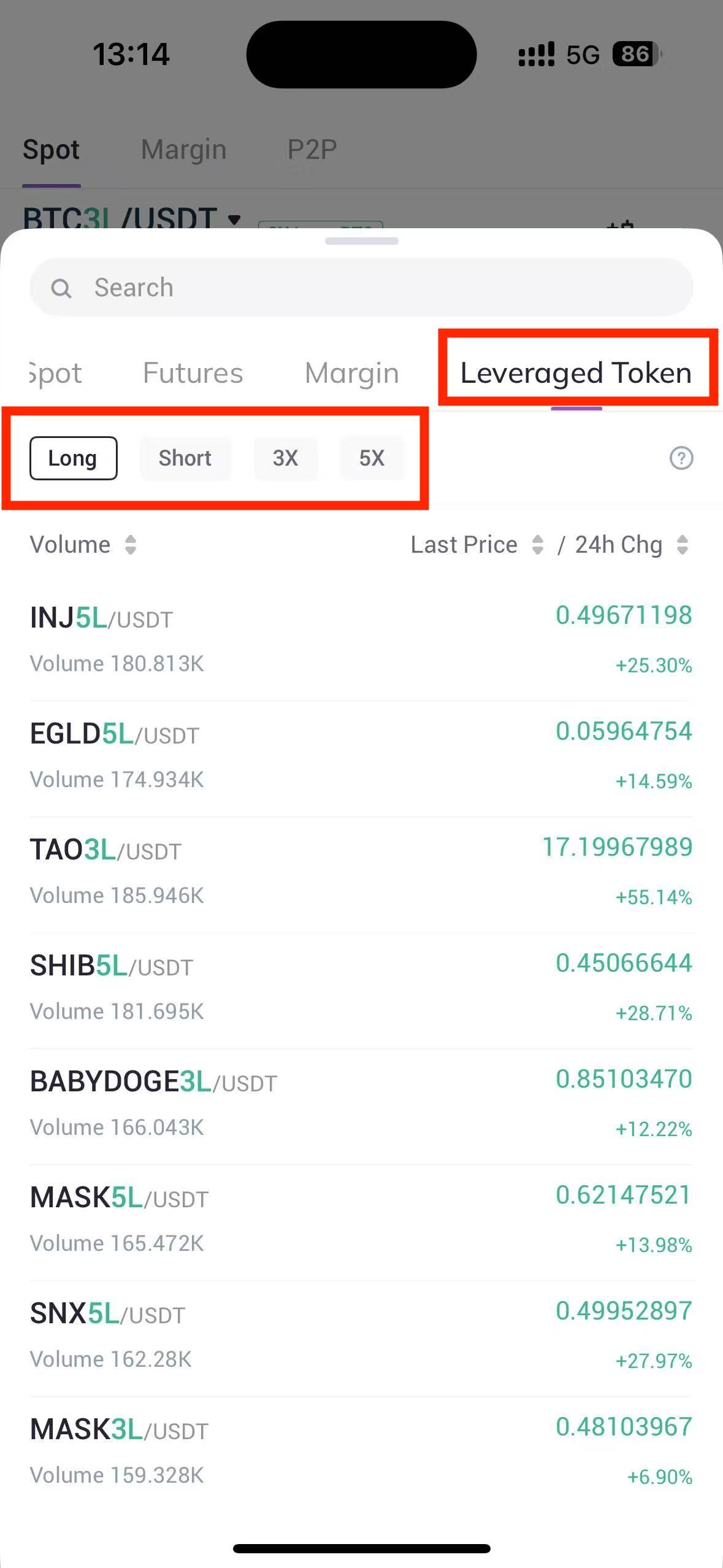
3. Click on Leveraged Tokens on the unfolding tokens page to select and tap on your target leveraged token.
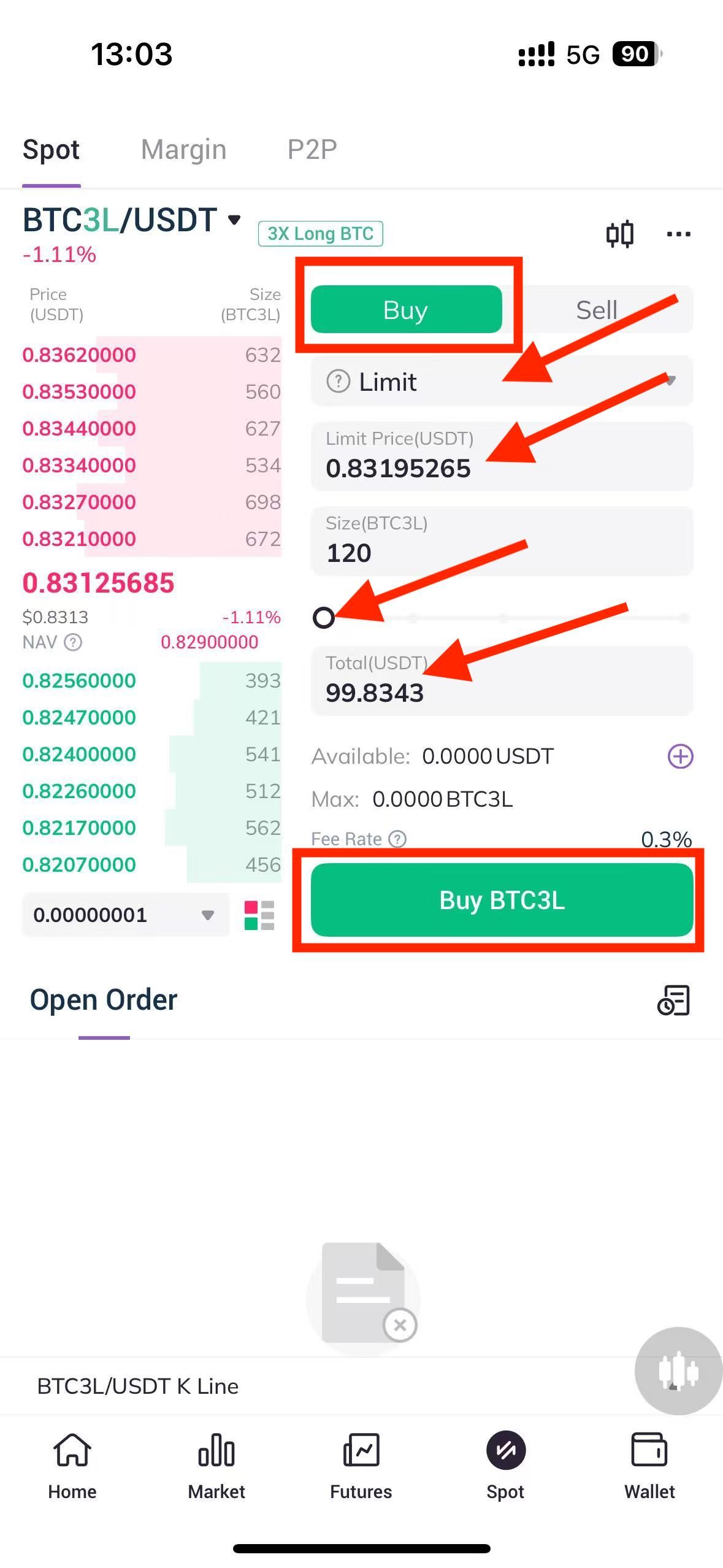
4. If you want to buy BTC3L, select your Order Type in the Buy action area and enter the Price and Amount to buy or press the percentage button directly to enter the trading volume and amount. Now click on Buy BTC3L below to confirm the order.
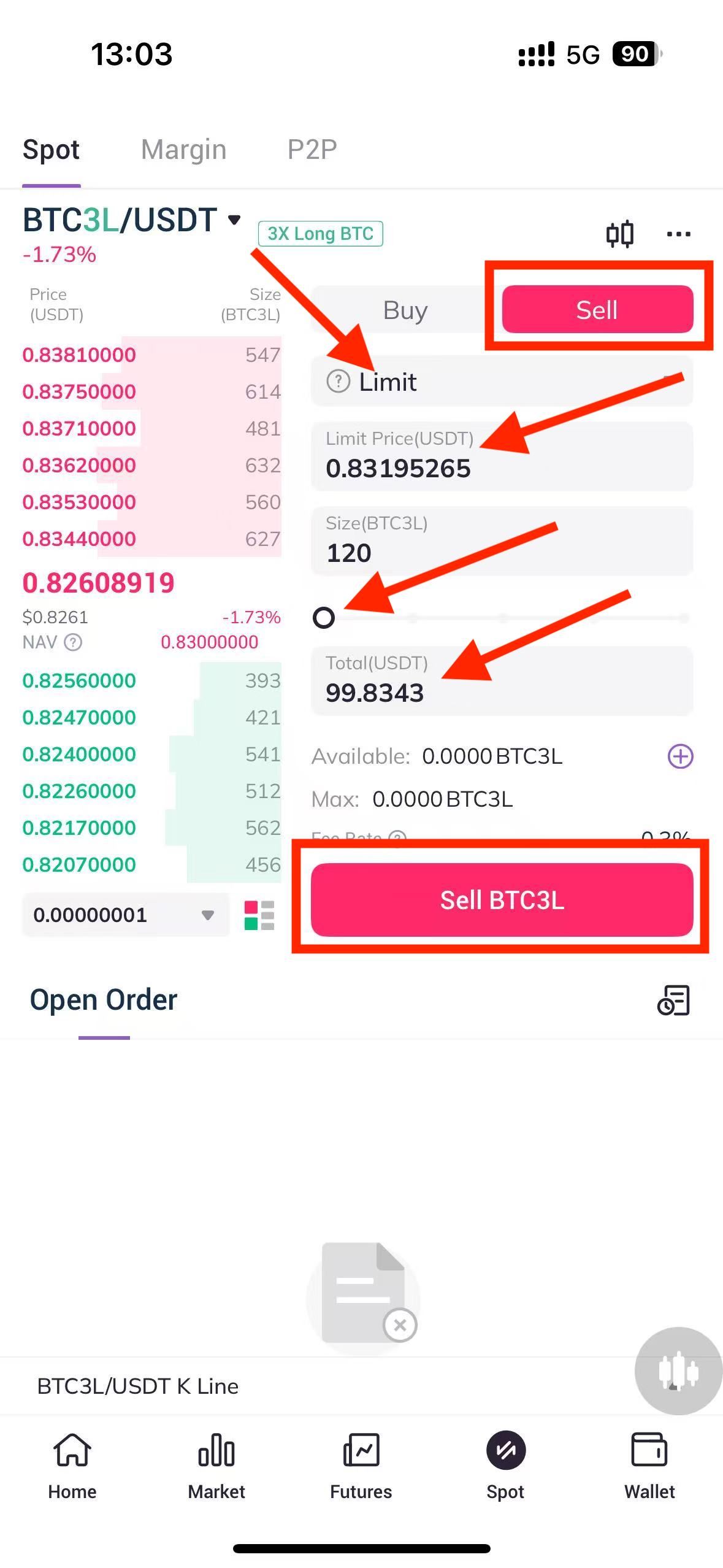
5. If you want to sell BTC3L, select your Order Type in the Sell action area and enter the Price and Amount to buy or press the percentage button directly to enter the trading volume and amount. Now click on Sell BTC3L below to confirm the order.
6. After actions are completed, you can view the execution process of the open order at the bottom of the page, or click the icon in the upper right corner to view your order history.