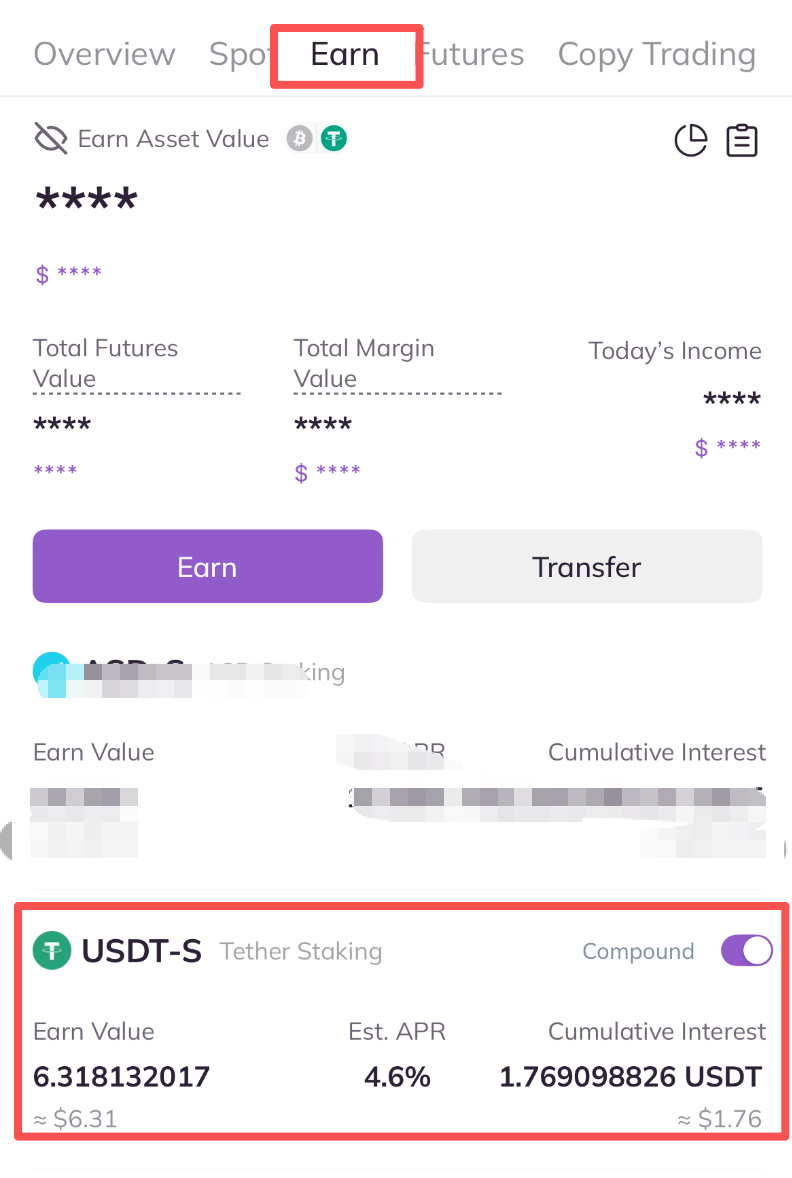
1. Open AscendEX App, visit [Wallet] – [Earn], and click on the token you want to redeem.
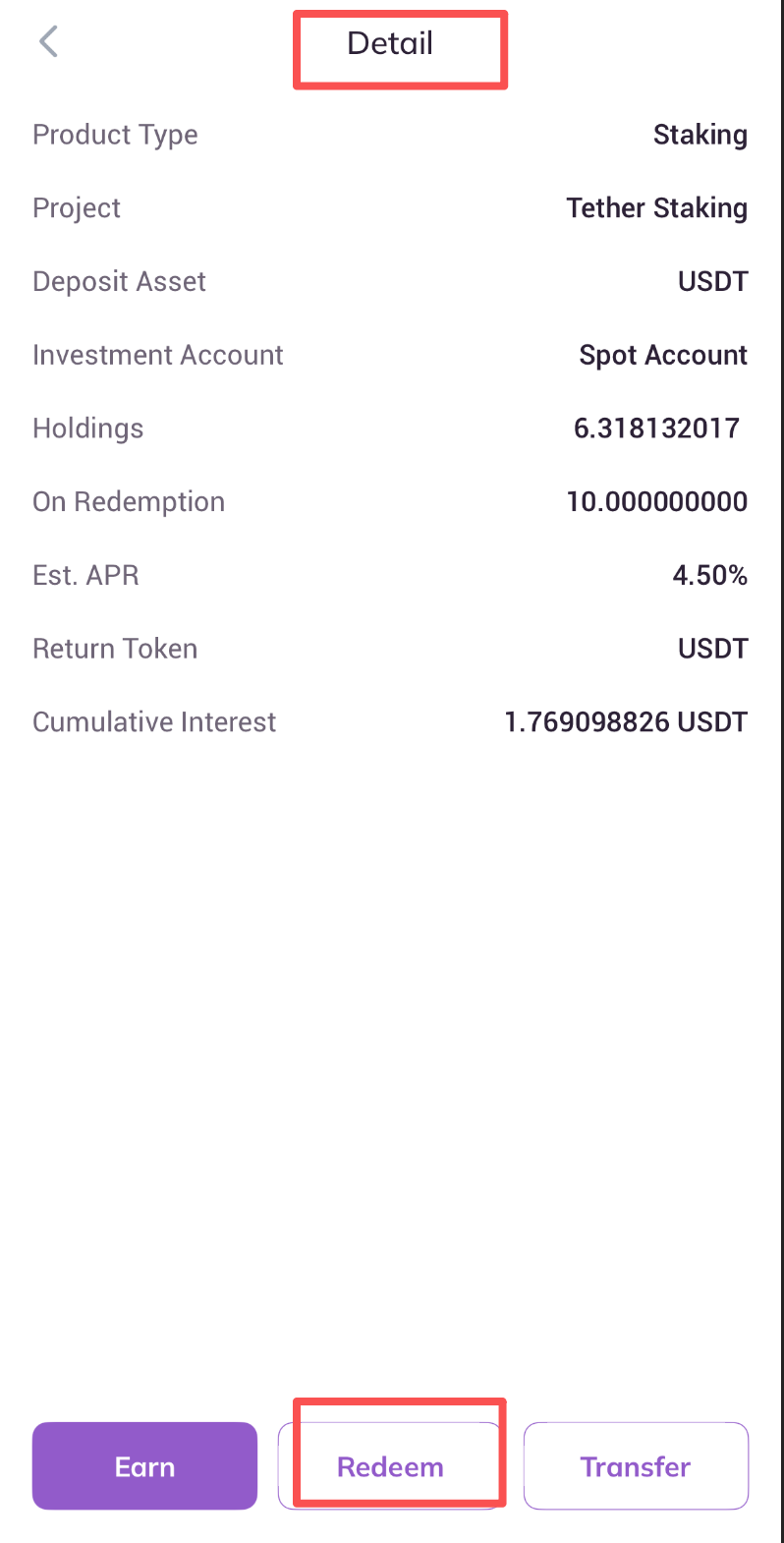
2. On the [Detail] page, click on [Redeem] at the bottom.
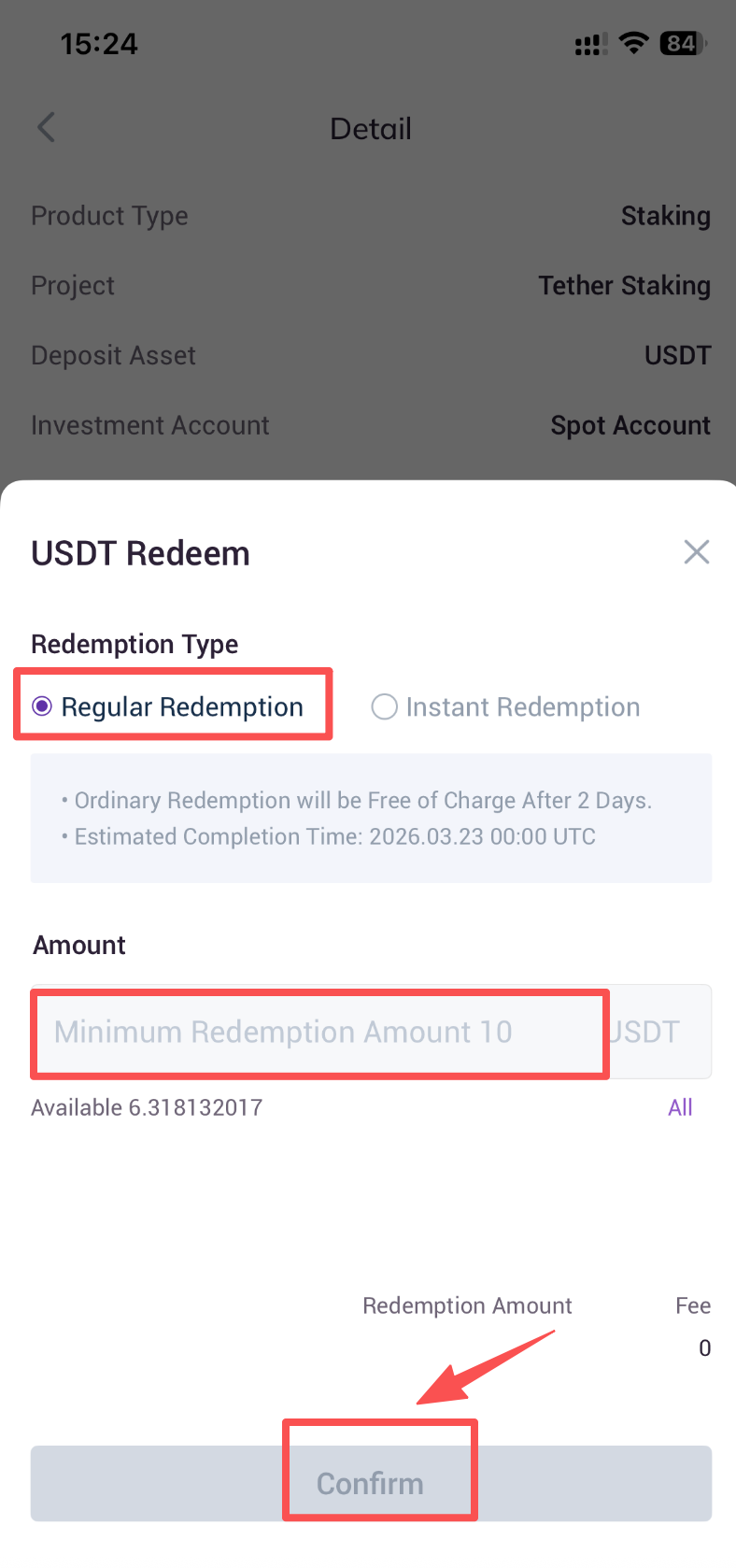
3. On the Redeem page, you can choose to redeem via [Regular redemption] or [Instant redemption]. Take [Regular redemption] as an example.
A. Choose [Regular redemption].
B. Enter an redemption amount.
C. Click on [Confirm].
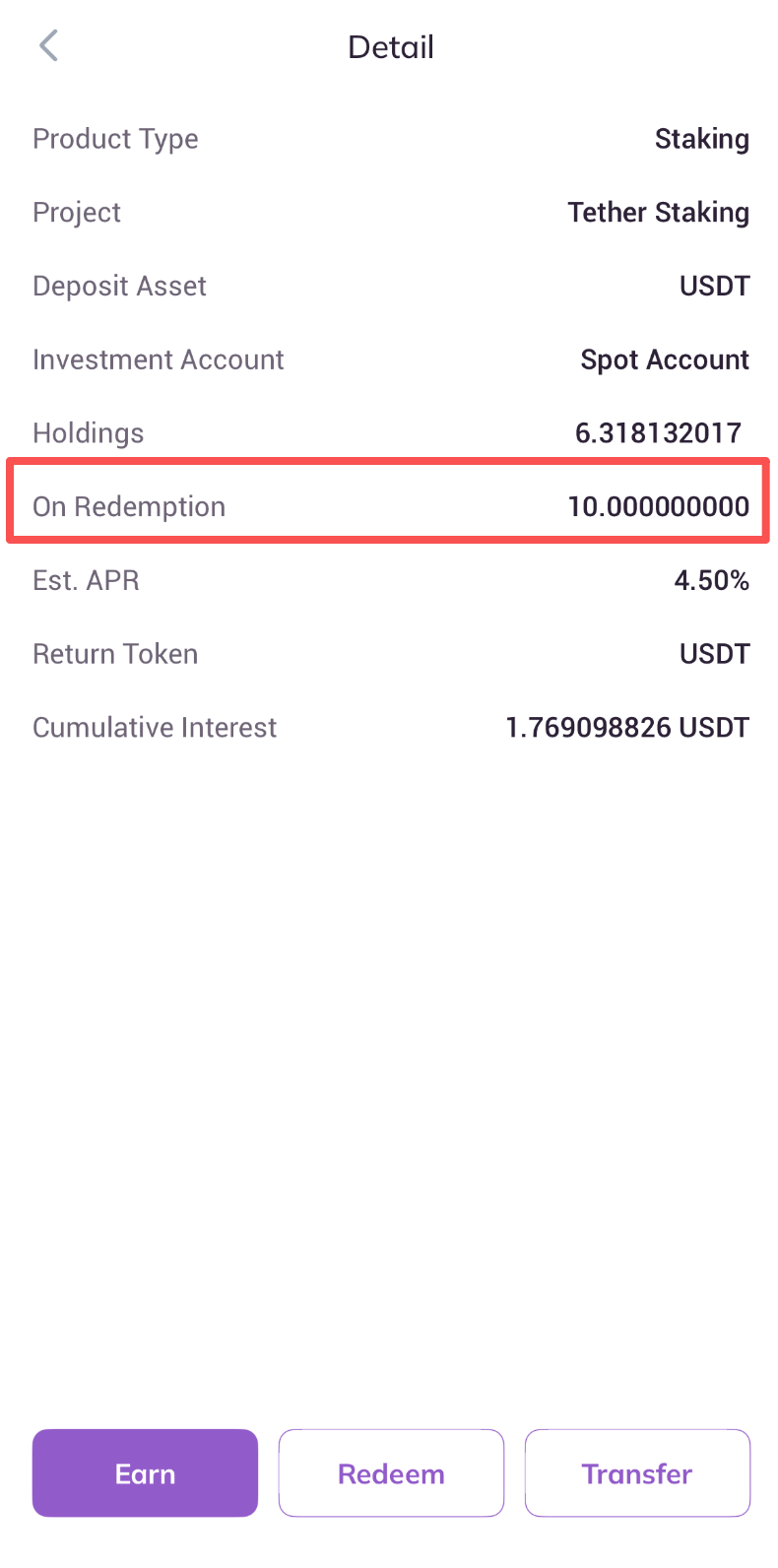
4. Regular redemption requires an unbonding period of overtime before assets can be fully unlocked, depending on the corresponding project's staking mechanism. During this unbonding period, staked assets are still in "PendingRedemption" process, which will be shown on the "Earn" page. Assets still in the "redemption" process are not available for use.
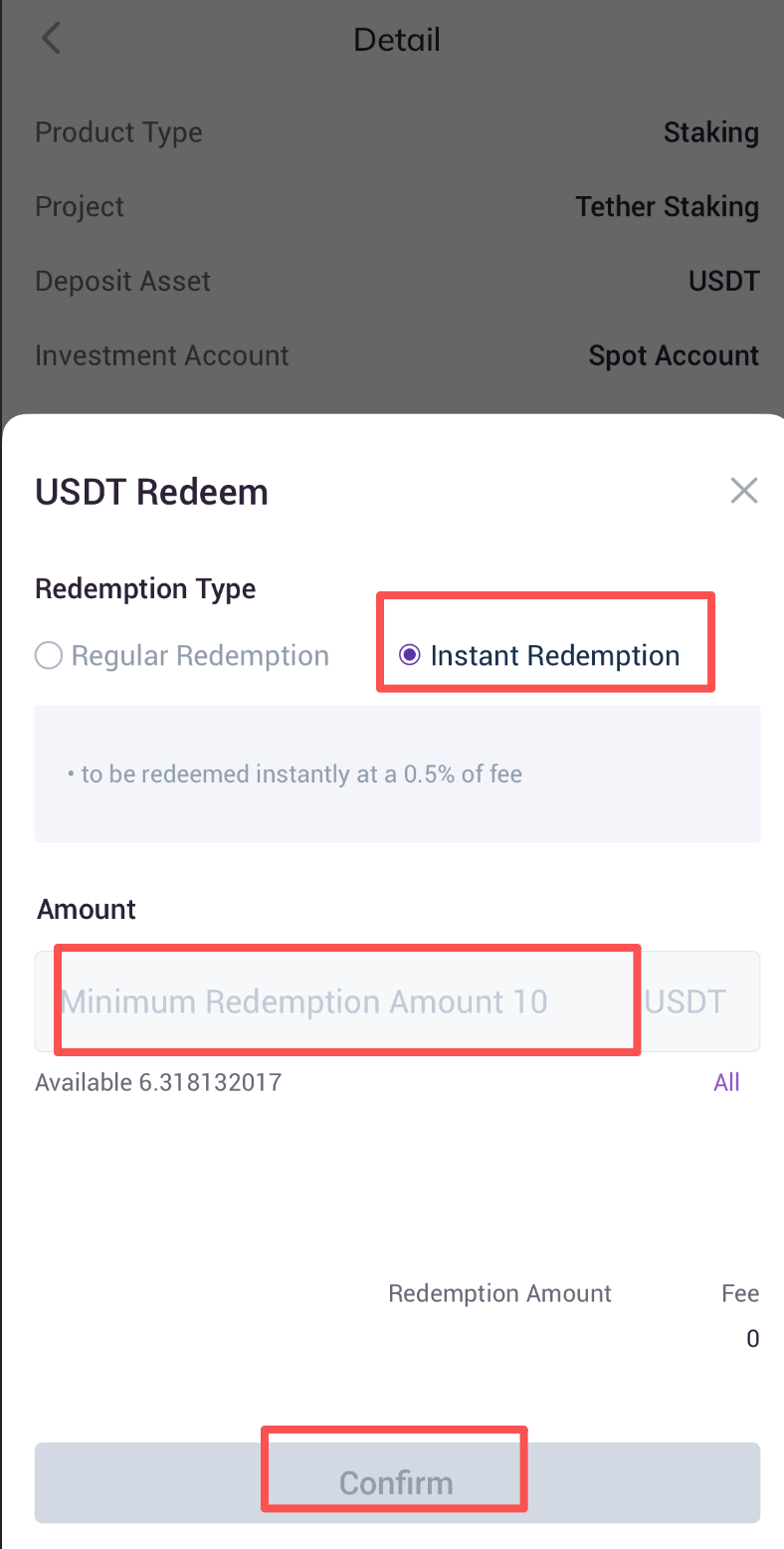
5. If users choose to redeem via Instant redemption, assets can be redeemed instantly without the need to wait for the lengthy unbonding period. This is the service that AscendEX provides to address the liquidity issue of staking with extra fee charged.